Competitive Feature Comparison Chart

The following tables describe, in detail, the features and functionality of the major Mac-based Home Automation systems and the standalone SmartLinc controller from SmartLabs. Note that if a product supports AppleScript some features may be available only via AppleScript. Unless otherwise noted, we've explicitly avoided marking a feature/function as built-in if the only way to access that function is via AppleScript.

If you have any suggestions/comments about the charts please email the The date of the last update was December 30th, 2009.

  Indigo Pro Indigo Lite Thinking Home Shion XTension Houseport Trickle Star SmartLinc
Street Price (in USD) 179.95 89.95 79.00 35.00 149.95 104.991 34.952 129.99
Version Compared 4.1 4.1 2.2.2 2.0 6.2 1.0.1 225 2.0
    1 Houseport includes a Z-Wave USB controller.
    2 The widget is free with the purchase of the TrickleStar controller.
 
General Features
Event Logging X
Custom Log Entry Labels X X X X X X
Daily Log Files X X X X
Log to SQLite Database X X X X X X X
Log to PostgreSQL Database X X X X X X X
Object Organization into Folders X X X X X 6
Action Groups X X X X X X
AppleScript Object Model X X X3 X X X
Variables X X 4 X X X
Multiple Actions per Trigger or Schedule X X X X Y
Client/Server Architecture (Remote Management) X X X X X X X7
Voice Commands 5 X X 5 X X X
Automatic Version Checking X X
Online Help X X X X X
Allows Multiple Active Power Line Interfaces X X X X X X X
    3 There are a significant number of commands, but no actual object model.
    4 Via properties assigned to devices.
    5 Using Speakable Items Folder.
    6 SmartLinc requires you to organize devices into "Rooms".
    7 SmartLinc management is done through a web browser, but isn't client/server.
 
Home Automation Technology Support
INSTEON (See INSTEON tab for support specifics) X X X
X10 (See X10 tab for support specifics) X X
Z-Wave8 X X X X X X
Universal Powerline Bus (UPB) X X X X 9 X X X
    8 There are no publicly available documents describing what devices or features are supported and how, so until such documentation is available this is the only information available.
    9 UPB support was in private beta at the time of this writing.
 
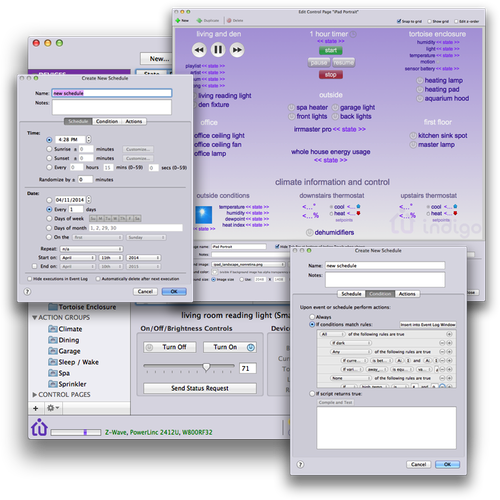
Built-in Time/Date Triggers (aka schedules)
Time: Fixed Time
Time: Sunrise/Sunset +- minutes
Time: Recurring Time (every X hours/minutes) X X X X X
Time Randomization X X X
Date: Fixed (Single) Date X X X X X
Date: Every X Days X X X X X
Date: Days of Week 10
Date: Days of Month X X X X X X X
Date: On the Nth Day (first Sunday, last Thursday, etc.) X X X X X X X
Repeat: Every Year, Month, Week (every other week, every 3rd month) X X X X X X X
Repeat: Start and End Dates X X X X X
    10 Allows either "weekdays" or "weekends."
 
Built-in Computer/System Trigger Events
Power Failure X X X X X
Interface Connection Initialized X X X X X
Interface Connection Failure X X X X X
Email Received X X X X X X X
Variable Changed X X X X X X
Application Starts X 11 X
Application Quits X X X X X
Mac Wakes X X X X X X
Mac About to Sleep X X X X X X
User Switches Away X X X X X X X
User Switches Back X X X X X X X
    11 Accomplished via "when computer turns on/off"
 
Built-in Generic Device Trigger Events (events specific to X10 and INSTEON can be found on those tabs)
On/Off State becomes on/becomes off/has any change X X X X X X X
Brightness Level becomes equal to/not equal to/greater than/less than/has any change X X X X X X X
 
Schedule and Trigger Conditionals
Always X X X X X X
If Dark X X X X X X
If Daylight X X X X X X
If Variable is true/is false/equal to/not equal to/greater than/less than X X X X X X
If embedded AppleScript returns true X X X X X X X
 
Built-in Actions
Delay Action Processing X X X X X
Run Embedded AppleScript X X X X X
Run AppleScript File X X X X X
Send Email X X X X X
Text-to-Speech Announcements X X X X
Open File X X X X X X X
Open URL X X X X X X X
Run Shell Script X X X X X X X
Send Instant Message X X X X X X X
Execute Action Group/Scene X 12 X X
Enable/Disable Trigger Actions and Time/Date Actions X X X X X X
Reset Interface Connections X X X X X X
Control Device X
    12 Shion uses snapshots to create scenes.
  Indigo Pro Indigo Lite Thinking Home Shion XTension Houseport Trickle Star SmartLinc
INSTEON Specific Features
Remote INSTEON Link Management X X X X X 1
INSTEON Address Discovery (watch for set button press) X X X X X
Automatic PowerLinc Device Linking (allows app to see all traffic with no manual linking) X X X X X N/A
INSTEON Group/Scene Support X X X X X
Reset 2414U Internal Program X X X X X N/A
Set default brightness/ramp on supported modules X X X X X X
    1 Link management is done via adding a device to a scene - arbitrary link management isn't available.
 
Interface Support
PowerLinc 2414U X X X X
PowerLinc 2414U Upload Support for offline operation X X X X X X
PowerLinc 2414S X X X X X X X
PowerLinc 2412U/S X X X X X X
PowerLinc 2412N X X X X X X X
 
Controller Device Support (can trigger based on buttons pressed on these controllers - on/off, instant on/off, dim, brighten, and All *)
KeypadLinc V2 (Dimmer and Relay) X X X X X X
ControLinc X X X X X X
RemoteLinc X X X X X X
 
Device Support
SwitchLinc V2 Dimmer X X X
ToggleLinc V2 Dimmer X X X X
ICON Dimmer Switch X X X X X
SwitchLinc V2 Relay X X X
ToggleLinc V2 Relay X X X
ICON On/Off Switch X X X X X
KeypadLinc V2 X X X X X
KeypadLinc V2 Relay X X X X X
LampLinc V2 X X X
ICON Lamp Module X X X X
ApplianceLinc V2 X X X
ICON Appliance Module X X X X
Thermostat Adaptor X X X X X
EZFlora Sprinkler X X X X X X X
IRLinc Receiver X X X X X X
IRLinc Transmitter X X X X X X
EZUIRT X X X X X X
Motion Sensor X X X X X X
TriggerLinc X X X X X X
In-LineLinc X X X X X
In-LineLinc Relay X X X X
I/O Linc X X X X X X X
EZIO* X X X X X X X
OutletLinc X X X X X
EZSwitch30 X X X X X X
EZSnsRF X X X X X X
EZX10RF X X X X X X
SocketLinc X X X X X
 
Light Trigger Events
On X X X X X
Instant On (double tap) X X X X X X
Off X X X X X
Instant Off (double tap) X X X X X X
Brighten X X X X X X
Dim X X X X X X
Status Changed Broadast X X X X X X
Any Command X X X X X X
 
I/O Device Trigger Events
Any Binary Output Changed X X X X X X X
Binary Output N becomes on/becomes off/has any change X X X X X X X
Any Binary Input Changed X X X X X X X
Binary Input N becomes on/becomes off/has any change X X X X X X X
Any Analog Input Changed X X X X X X X
Analog Input N becomes =/becomes not =/becomes >/becomes </has any change X X X X X X X
Sensor Input N becomes =/becomes not =/becomes >/becomes </has any change X X X X X X X
 
Thermostat Trigger Events
Any Temperature Changed X X X X X X X
Zone N Temperature becomes =/becomes not =/has any change X X X X X X X
Zone N Temperature becomes >/becomes not < X X X X X X
Any Humidity Change X X X X X X X
Zone N Humidity becomes =/becomes not =/becomes >/becomes </has any change X X X X X X X
Heat/Cool Setpoint becomes =/becomes not =/becomes >/becomes </has any change X X X X X X X
Operation Mode Changed X X X X X X X
Mode Changed to Off becomes true/false/has any change X X X X X X X
Mode Changed to Heat becomes true/false/has any change X X X X X X X
Mode Changed to Cool becomes true/false/has any change X X X X X X X
Mode Changed to Auto becomes true/false/has any change X X X X X X X
Mode Changed to Program Heat becomes true/false/has any change X X X X X X X
Mode Changed to Program Cool becomes true/false/has any change X X X X X X X
Mode Changed to Program Auto becomes true/false/has any change X X X X X X X
Fan Mode Changed X X X X X X X
Fan Changed to Auto On becomes true/false/has any change X X X X X X X
Fan Changed to Always On becomes true/false/has any change X X X X X X X
 
Sprinkler Trigger Events
Active Zone Name becomes =/not =/has any change X X X X X X X
Zone N becomes on/off/has an change X X X X X X X
  Indigo Pro Indigo Lite Thinking Home Shion XTension Houseport Trickle Star SmartLinc
Power Line and RF Interface Support
PowerLinc 1132A X X X X X
PowerLinc 1132U X X X X X
PowerLinc 1132CU X X X X X
PowerLinc 1132CU Upload Support X X X X X X
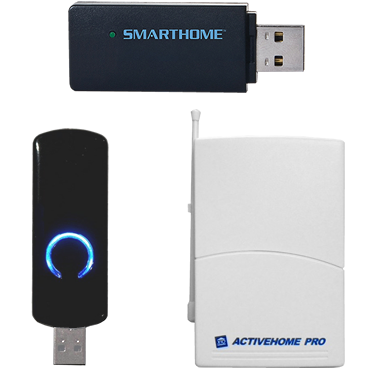
ActiveHome Pro (CM15/HA125) X X X X
ActiveHome Pro (CM15/HA125) Upload Support X X X X X X X
CM11/HD11/CM11/HD12/RCA/IBM Home Director X X X
CM11/HD11/CM12/HD12/RCA/IBM Home Director Upload Support X X X X X X X
LynX-PLC X X X X
LynX-Port X X X X X X X
CM19/CM17/FireCracker X X X X X X
CM10 X X X X X X X
CM10 Upload Support X X X X X X X
CP-290 X X X X X X X
MR26 X X X X X
W800RF X X X X X
RFXCOM 1 1 X X X X X
    1 Only supported in W800 emulation mode.
 
Device Support
RCS TX16B/TX15B Thermostat X2 X X X X3 X X X
TempLinc X2 X X X X3 X X X
Rain8MB Sprinkler Controller X X X X3 X X X
Rain8II Sprinkler Controller X X X X3 X X X
IrrMaster Pro Sprinkler Controller X X X X3 X X X
IrrMaster Sprinkler Controller X X X X3 X X X
Standard X10 Dimmers / Lamp Modules4 X X
Extended Command X10 Dimmers5 ? X X X X
Standard X10 Relay Switches / Appliance Modules4 X X
Wireless RF X10 controllers4 X X X
Wireless RF X10 motion sensors4 X X X
Powerflash Interface (digital input/contact closure)4 X X X
Universal Module PUM01 low voltage controller4 X X X
DS10A Door/Window Sensor X2 X X X X3 X X X
Marmitek Shutter Switch SW10 X X X X
    2 Functionality provided via included attachment AppleScript.
    3 Xtension doesn't attempt to identify specific device type or category so there is no specific device UI - most X10 devices should work if they respond to standard X10 commands.
    4 Basic X10 devices all work fundamentally the same way so special support isn’t usually needed.
    5 A few X10 devices use extended X10 commands to make dim/brighten work more smoothly. It’s unclear what the Indigo competitors support in this regard, which is why you’ll see a question mark for some.
 
Light Trigger Events
On X X X
Off X X X
Brighten X X X X X
Dim X X X X X
Preset Dim X X X X X X
Extended Data X X X X X X
Status On Response X X X X X X
Status Off Response X X X X X X
All Off X X X X X X
All Lights On X X X X X X
All Lights Off X X X X X X
A/V Button Pressed X X X X X X
Any Command X X X X X X X
  Indigo Pro Indigo Lite Thinking Home Shion XTension Houseport Trickle Star SmartLinc
User Interface Features
Native Mac Client Application (for the User Interface) 1 X2 X
Advanced controls based on device type (thermostat, sprinkler, IO device, etc) X X X X X X
Set arbitrary brightness of lights from Mac UI X X
Event Log Window X X
Custom Graphical Pages (i.e. floorplan, etc.) X X X X X
Web User Interface X X 3 X X
Web API X X X X X
Easy & secure remote access from anywhere (no router/port configuration needed) 4 4 X X X X X X
Native iPhone Application 5 X X X X 6
Dashboard Widget X X X X X X
    1 Shion is installed as a Menu Bar application, so it's windows float with Finder windows and it doesn't have it's own menu bar.
    2 The TrickleStar application is a Dashboard Widget.
    3 The 3rd party application X2Web is available for $39.95 as an add-on to Xtension.
    4 Requires a subscription to the 3rd party service GoPrism.com, currently in free beta.
    5 Support for remotely controlling X10 devices provided through the 3rd party application for $9.99.
    6 iPhone application supplied by a 3rd party vendor - $.99 per device or $29.99 for unlimited devices.
 
Native Support for Other Devices (not through AppleScript)
Max Sonar X X X X X X X
Weeder Modules X X X X X X X
UPS Support X X X X X X X
Bit Whacker Boards X X X X X X X
RFID Readers 7 X X X X X X
Video Cameras X X X X X X 8
1-wire 9 X 10 X X X X X
    7 Via the I/O Linc with the Proximity Reader Kit.
    8 Video cameras may be displayed within the web interface for the SmartLinc but no camera control is offered.
    9 Supported via EZIO8S.
    10 Supported via the HA7Net.